
Go to Windows platform Display platforms icon
Go to Windows platform Go to Mac platform Go to Android platform Go to iOS platform
OpenShot Video Editor icon

OpenShot Video Editor

3.5.1
3.7 6 reviews
204.3 k downloads
security security

A powerful and easy-to-use video editor

Advertisement
Remove ads and more with Turbo
Advertisement
Remove ads and more with Turbo
Andrés López icon
Reviewed by
Andrés López
Content Editor
Andrés López is part of Uptodown's in-house Editorial Team. Translated by Uptodown Localization Team

OpenShot Video Editor is a completely free and open source video editor that allows you to edit your own movies and long videos from a convenient and accessible interface. Unlike other similar programs, such as Adobe Premiere or Capcut, this one is completely free, so you won't have any unpleasant surprises when exporting your videos or trying to use paid features.

A simple tutorial right after opening the program

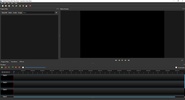
When you open OpenShot Video Editor for the first time, you will see a pop-up window with a short tutorial explaining the basics of this program. This tutorial, which can be very useful for anyone who is just starting to edit videos, is completely optional. So, if you've used this app before or know how to use other similar software, you can skip it without a problem. You can always come back to it at any time. On the official website, in fact, you will find a complete user guide, as well as several video tutorials that will cover everything you need.

Advertisement
Remove ads and more with Turbo

Choose between standard or advanced mode

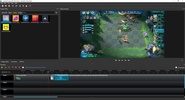
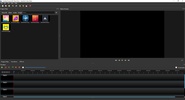
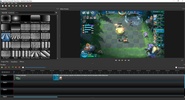
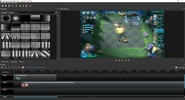
One of the first decisions you have to make when using OpenShot Video Editor is whether you want to use the advanced or standard interface. By default, this program will open with the standard interface, which has all the necessary tools for quality video editing: you can work with several files, cut and combine clips, separate audio tracks, add simple transitions, adjust the volume, and so on. However, if you want, you can use the advanced interface to unlock many additional tools, including the ability to add various filters and effects to any track.

Add as many tracks as you want

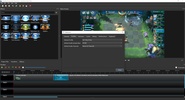
OpenShot Video Editor allows you to work with as many tracks as you need. This is especially useful if you are editing videos with subtitles, watermarks, or lots of transitions. In the case of subtitles, for example, you can use specific templates that allow you to dedicate an entire track to inserting subtitles in the most convenient way possible. What's more, you can not only import video files, but also images, songs, etc. Basically, you will be able to work with any multimedia file that's compatible with the FFmpeg library.

One of the best free video editors

Download OpenShot Video Editor if you're looking for a good video editing tool that doesn't cost anything. While it's true that some similar programs might offer very flashy features, these are almost always hidden behind paywalls. That won't happen to you with OpenShot Video Editor. This program is 100% free and allows you to create videos that are as good if not better than those made on most other paid apps.

Information about OpenShot Video Editor 3.5.1

Basic information

Developer Openshot
Category Video Editors
Rating All ages
Languages English

Distribution model

Pricing Free
License Proprietary
Copyright © 2026 Openshot
Why is this app published on Uptodown? (More information)

Security and privacy

Required permissions Not applicable
See security and antivirus report

Download info

Downloads 204,283
Date Apr 9, 2026
File type EXE
Size 209.03 MB
SHA256 f7894bbf87ec77f37ea46407fef0ae444cd8db52dfc9fd52d969b8a8bde55685
Advertisement
Remove ads and more with Turbo

Older versions

See more
exe 3.5.0 Mar 21, 2026
exe 3.4.0 Dec 17, 2025
exe 3.3.0 Dec 24, 2024
exe 3.2.1 Jul 11, 2024
exe 3.2.0 Jun 26, 2024
exe 3.1.1 Aug 28, 2023
Available for other platforms

Rate this App

Review the app
OpenShot Video Editor icon

Rating

3.7
5
4
3
2
1
6 reviews

Comments

youngpurplehen61534 icon
youngpurplehen61534
in 2025

PROS: Easy to use. CONS: Huge 600MB for a 5min MP4 720p Version Tested: 2.4.4 LossLessCut is the best one I've used for trimming video and keeping original size and format

2
Reply
crazyblackpapaya76582 icon
crazyblackpapaya76582
in 2023

Still the best..

3
Reply
gentleredpeacock48447 icon
gentleredpeacock48447
in 2022

It's Good

2
Reply
Advertisement
Remove ads and more with Turbo
Sony Vegas Movie Studio icon
Edit video and don't reduce quality
Shotcut icon
A cross-platform video editor for enhancing all kinds of media
LosslessCut icon
Slice up your videos with max precision
Avidemux icon
Edit, compress, and convert videos for free
Kdenlive icon
Open, professional video editing for everyone
Pixelle Video icon
Produce videos with the help of AI
Olive icon
Video editing and color management with nodes
CapCut icon
Incredibly powerful and easy-to-use video editor
Proton VPN icon
Powerful, free, secure and unlimited VPN
Codex icon
OpenAI's official companion for programming with ChatGPT
FormatFactory icon
Conversion between video, sound and image formats
Telegram Desktop icon
Talk to all your Telegram contacts from the desktop
VLC Media Player icon
A powerful media player and streaming server
Strix icon
Check your code efficiently
Komi Store icon
Open-source app store for Windows
MoneyPrinterTurbo icon
Automatically generate short videos with AI
CapCut icon
Incredibly powerful and easy-to-use video editor
HEVC Video Extensions from Device Manufacturer icon
Play HEVC (H.265) encoded videos on Windows
Adobe After Effects icon
The most advanced video-editing tool from Adobe
FormatFactory icon
Conversion between video, sound and image formats
VLC Media Player icon
A powerful media player and streaming server
Adobe Premiere Pro icon
Video editing for professionals and beginners
VEGAS Pro icon
Professional video editing accessible to all
IPTV Stream Player icon
Complete IPTV content player for Windows